โœ“ Windows PC Optimization Software

Clean. Optimize. Speed Up Your PC.

System Optimizer Pro helps users scan junk files, review privacy traces, manage startup items, find duplicates, locate large files, and keep Windows running cleaner.

โœ“ Safe scan first
โœ“ Online & offline activation
โœ“ Priority support
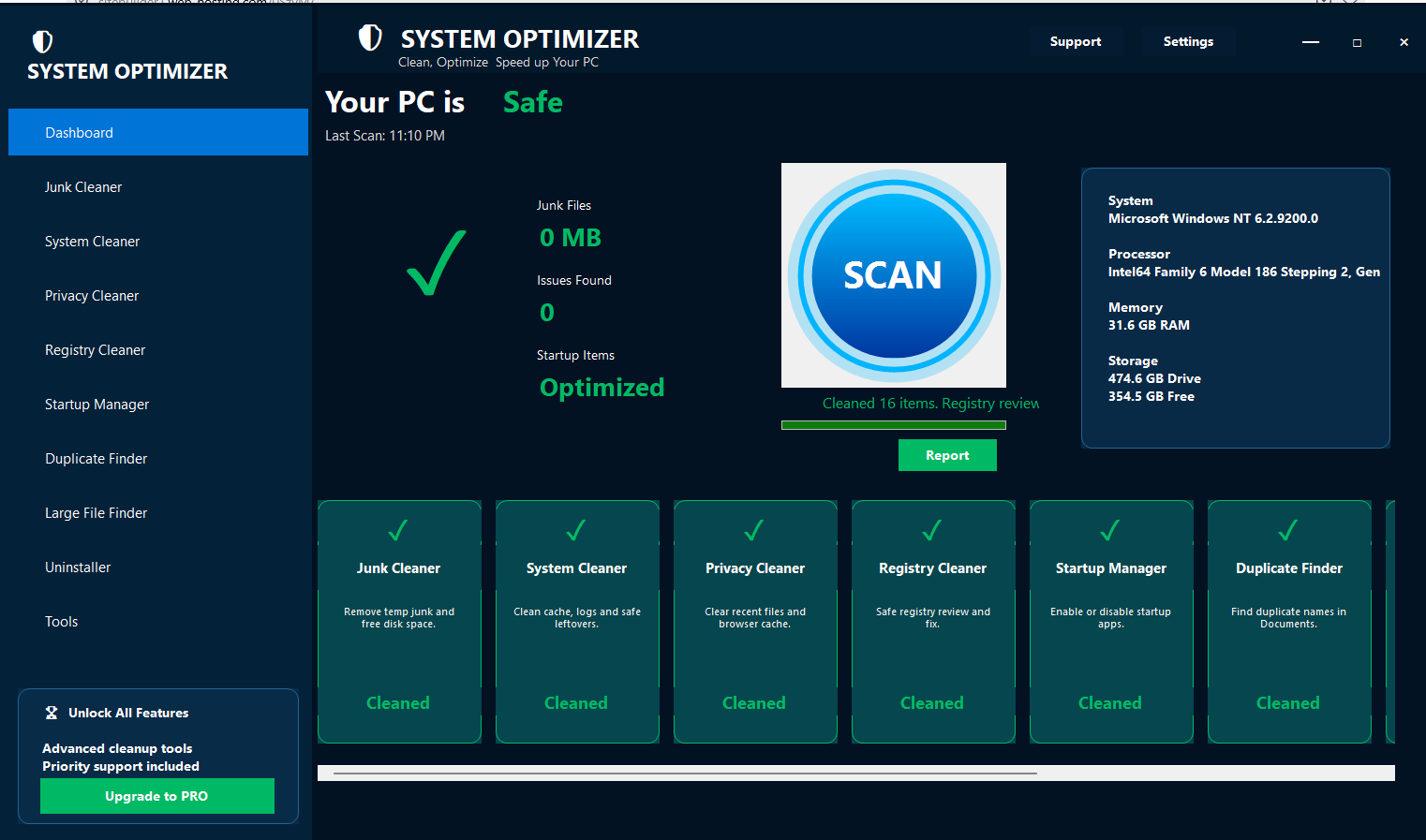
System Optimizer Pro dashboard screenshot

Everything you need to maintain your Windows PC

Designed with clear scan results, safe cleaning actions, and a professional workflow that customers can understand.

๐Ÿงน

Junk Cleaner

Scan temporary files, cache and common junk that may take storage space.

๐Ÿ›ก๏ธ

Privacy Cleaner

Review browser cache and privacy traces before cleaning.

๐Ÿš€

Startup Manager

Manage startup items that can affect Windows boot time.

๐Ÿ“ฆ

Duplicate Finder

Find duplicate files and review them before action.

๐Ÿ’พ

Large File Finder

Locate large files taking up space on your PC.

โš™๏ธ

System Tools

Helpful utilities and reports inside a clean interface.

How it works

Scan first, review results, then activate PRO to clean and optimize.

1

Download

Install the Windows setup.

2

Scan

Review PC status and issues.

3

Activate

Use purchased license key.

4

Clean

Unlock cleaning and fixing tools.

Download the latest Windows installer

Free users can scan. PRO users can activate to unlock cleaning and fixing.

Download Free Trial